

The host can disconnect a participant or prevent them from rejoining. These actions affect the ConnectTogether room. Game server penalties and permissions are managed separately in the game.
Kick a player
Open the participant's menu and choose “Kick from room”. They are disconnected but can try joining again if they still have a valid invitation and are not banned.
Use a kick to end current participation rather than impose a lasting restriction. For a technical issue, explain what happened and whether they should reconnect.
Ban a player
- Make sure you selected the correct player.
- Open their menu and choose “Ban”.
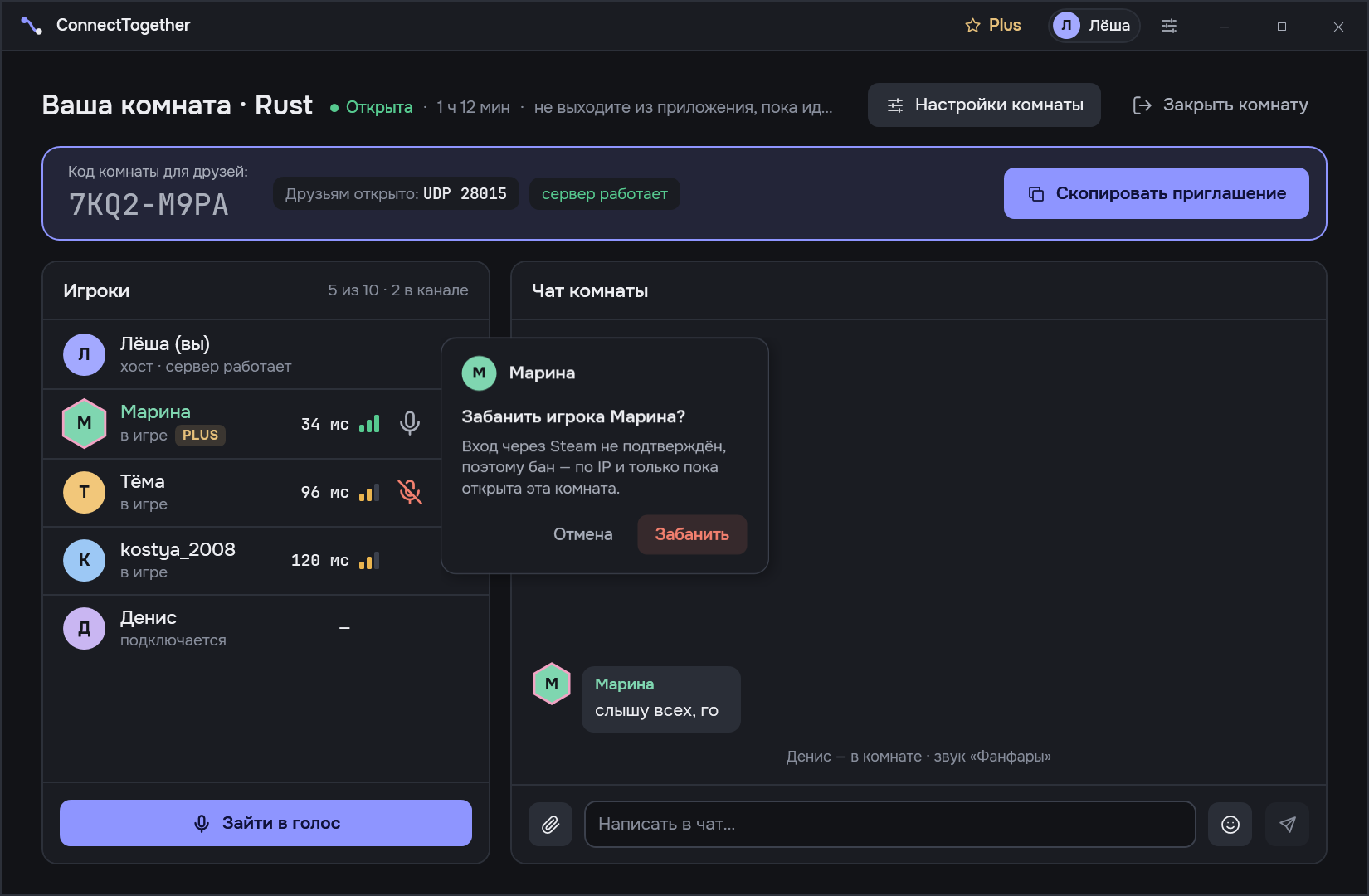
- Read the confirmation, which describes the ban's scope.
- Confirm if it matches your intention.
A verified Steam account stays banned from your rooms until unbanned. Without account verification, the application restricts the IP until the current room closes. Follow the explanation shown in the interface rather than assuming all bans work the same way.
Remove a ban
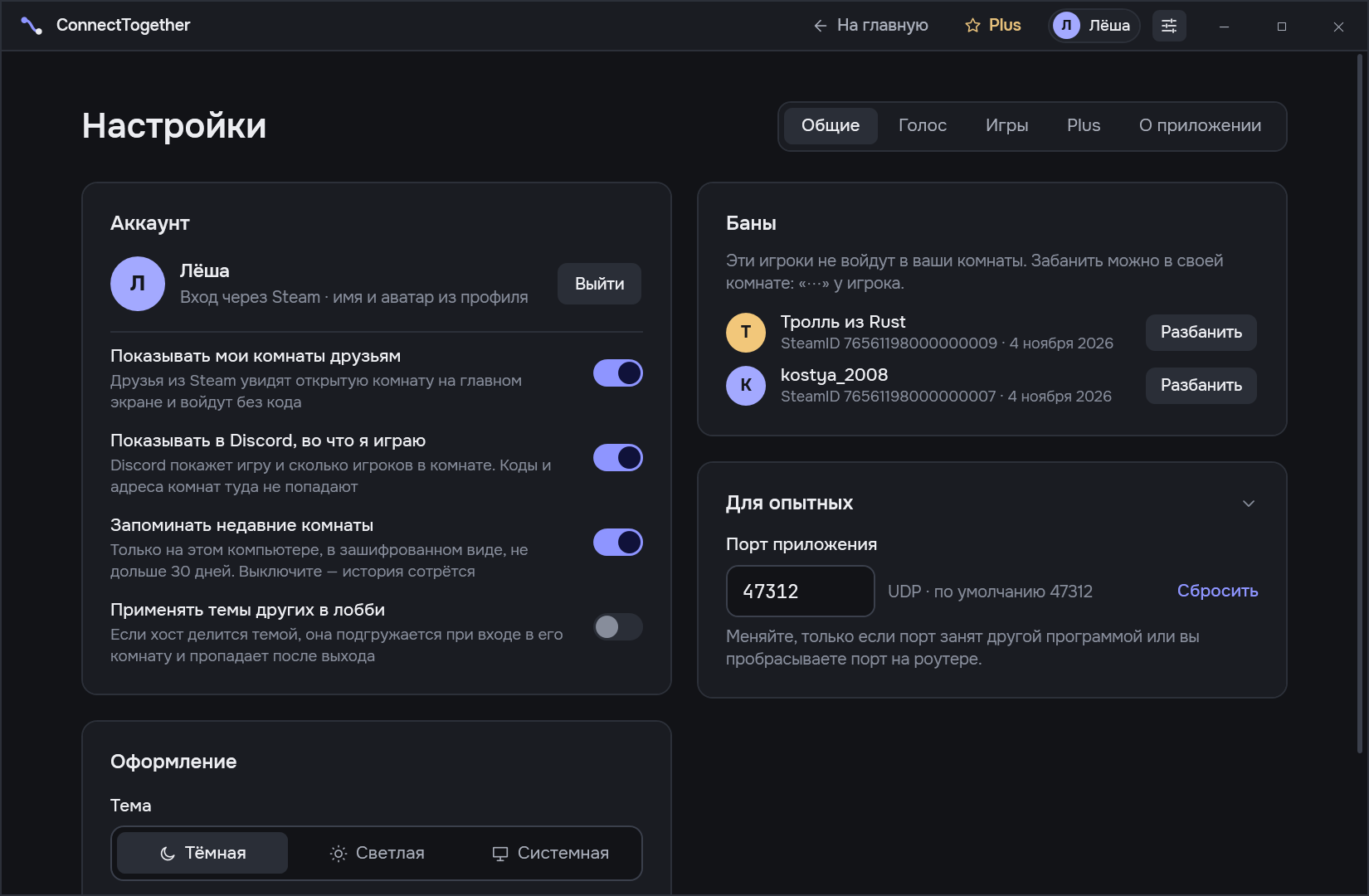
Open general settings, find “Bans”, locate the entry and choose “Unban”.
The player may still need a current invitation. Removing a ban does not reopen a room or remove a separate game server ban.
If an action is unavailable
Check your room role and whether a host transfer is underway. Seeing the player list does not give ordinary participants control of someone else's room.
Make host is a separate action. It transfers room control and is not a way to remove unwanted players.
