

First check whether ConnectTogether itself starts. If it does, use built-in diagnostics. Otherwise, save the error and details of the downloaded file.
If the application opens
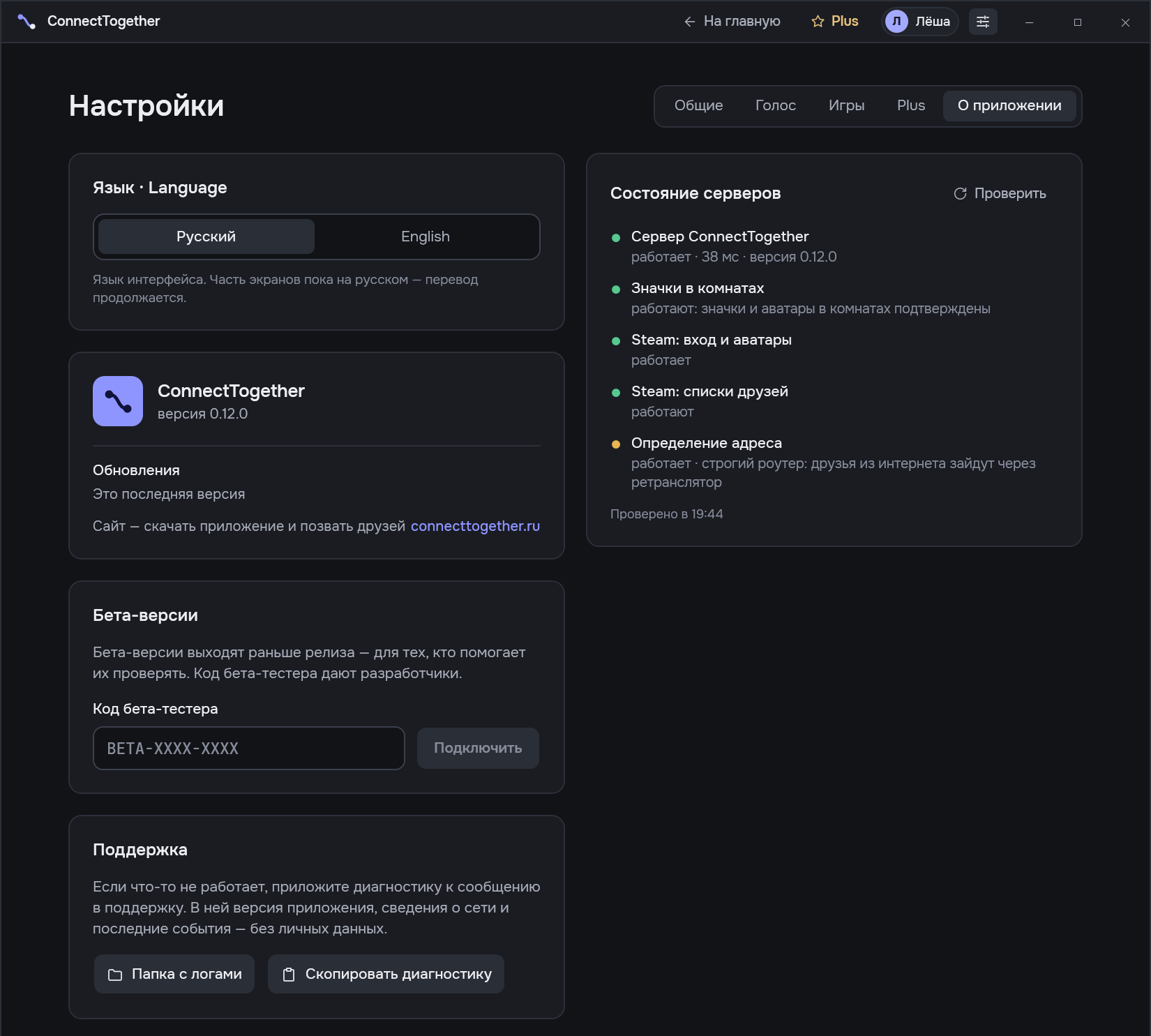
Open “Settings” → “About” to see its version, server status and updates. Use “Check” to request the status again.
An unavailable update server is different from a local launch failure. If the check gets no response, avoid deleting the installation or settings unnecessarily.
If it does not start
- Record the full Windows or application error.
- Check the file's source. Use the official download if downloading again.
- Check that the download completed and you are starting the correct file, not an older copy elsewhere.
- Check that your Windows version is supported.
- If security software blocked the file, read its message and check the download source. Do not disable all protection for an unknown file.
Do not delete server folders or saves to fix ConnectTogether startup: they may contain your world.
If an update fails
End the game session and warn participants before retrying. Record versions before and after the attempt and save the update error.
Check for another running copy. When minimising to the tray is enabled, the window's close button may only hide the application. Exit through its icon near the clock.
ConnectTogether uses signed update metadata. If verification or integrity checks fail, report the message rather than bypassing the check.
Collect diagnostics
“Settings” → “About” provides “Copy diagnostics” and “Log folder”. If the interface is unavailable, open %LOCALAPPDATA%\ConnectTogether\logs in File Explorer.
Logs hide some personal network information, but still review attachments before publishing them. Do not add configuration files containing passwords or payment details.
What to tell support
Include Windows and application versions, download source, exact error, preceding steps and whether every launch fails. For updates, include the version you tried to install.
If ConnectTogether starts but the game server does not, follow that game's guide: it may be a separate server problem.
