

Screen sharing is available in the voice channel. Share a single window or an entire display. Before starting, check the source and hide personal notifications.
Start sharing
- Join a room and its voice channel.
- Click “Share screen”.
- Select a window or monitor. If a window is missing, check that its application is open or select the entire screen.
- Choose an available resolution and frame rate.
- Enable audio if supported by the selected source.
- Click “Go live” and ask a friend to check the picture.
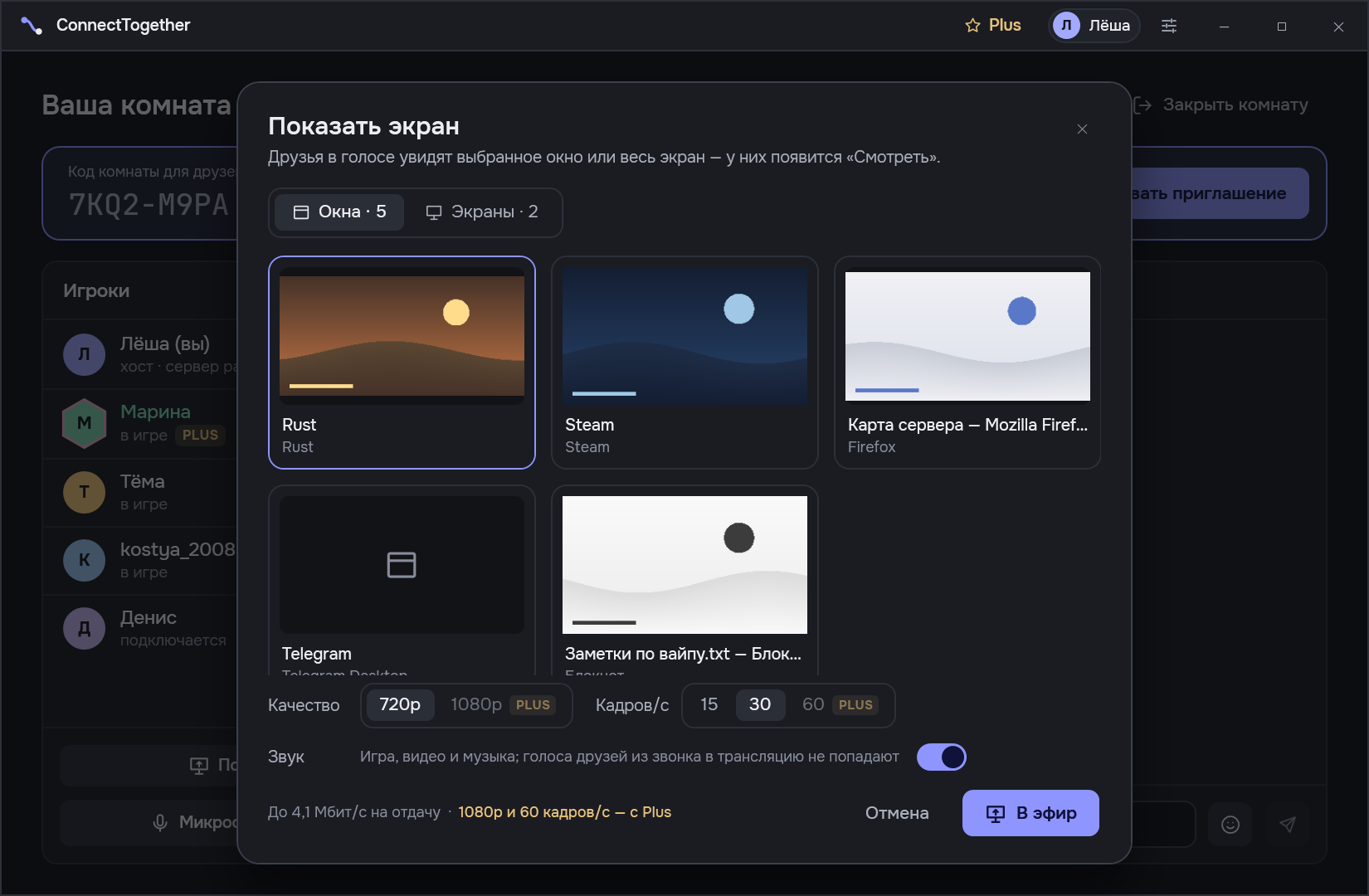
Window or entire screen?
A window limits sharing to one application. Sharing a display may show other windows and notifications on that monitor.
After switching a game between windowed and full-screen modes, ask a viewer whether the correct image still arrives. Your own preview does not verify that others hear the stream's audio.
Watching a friend
The viewer must join the voice channel. Click “Watch” on the streaming participant to open their stream.
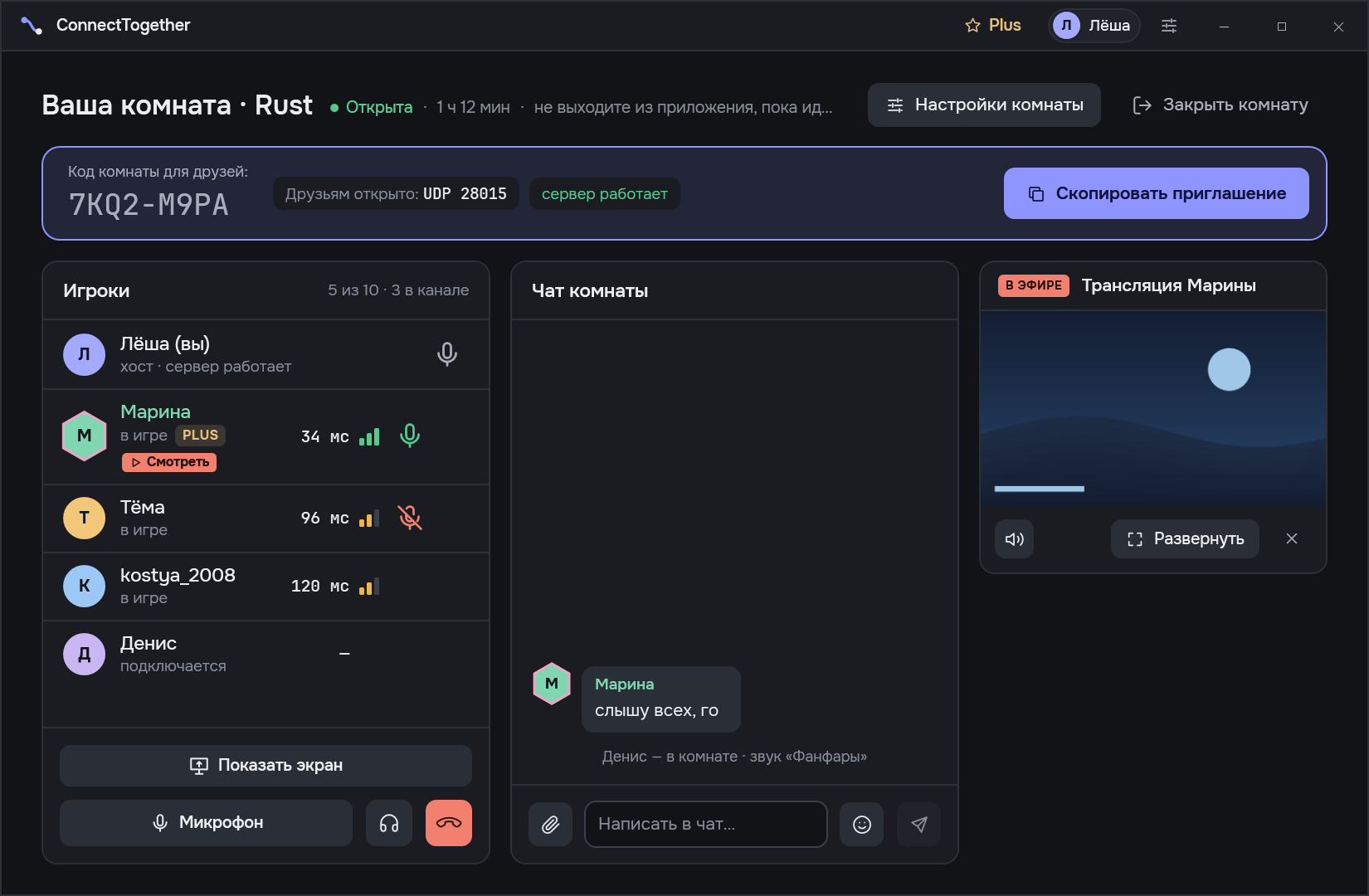
Quality and performance
Higher resolution makes small text clearer; higher frame rates make movement smoother. Both increase upload and video-encoding demands.
If latency rises, lower frame rate or resolution. Change one at a time to identify what helps. Quality modes requiring Plus are marked in the application.
ConnectTogether uses hardware encoding when a suitable encoder is available and software encoding otherwise. Identical settings can therefore create different loads on different computers.
Missing audio or video
- Microphone audio and stream audio are separate. Check the stream's audio switch, not just your room microphone.
- If audio is unavailable, read the explanation beside its switch. Capture support varies by source.
- If the wrong display is shown, stop and select the correct source.
- If lag only appears during sharing, compare the game without a stream and at lower stream quality.
Tell support the source, quality settings, graphics card and what the viewer sees. Stop sharing before opening private documents or account settings.
