

Basic ConnectTogether use is free: create rooms, use voice and chat, and invite friends. Plus adds features whose availability is shown in the application.
Plus features
- Relay connectivity for supported cases where a direct peer connection cannot be established.
- A memorable personal room code.
- A higher room participant limit.
- Additional voice and screen-sharing quality modes.
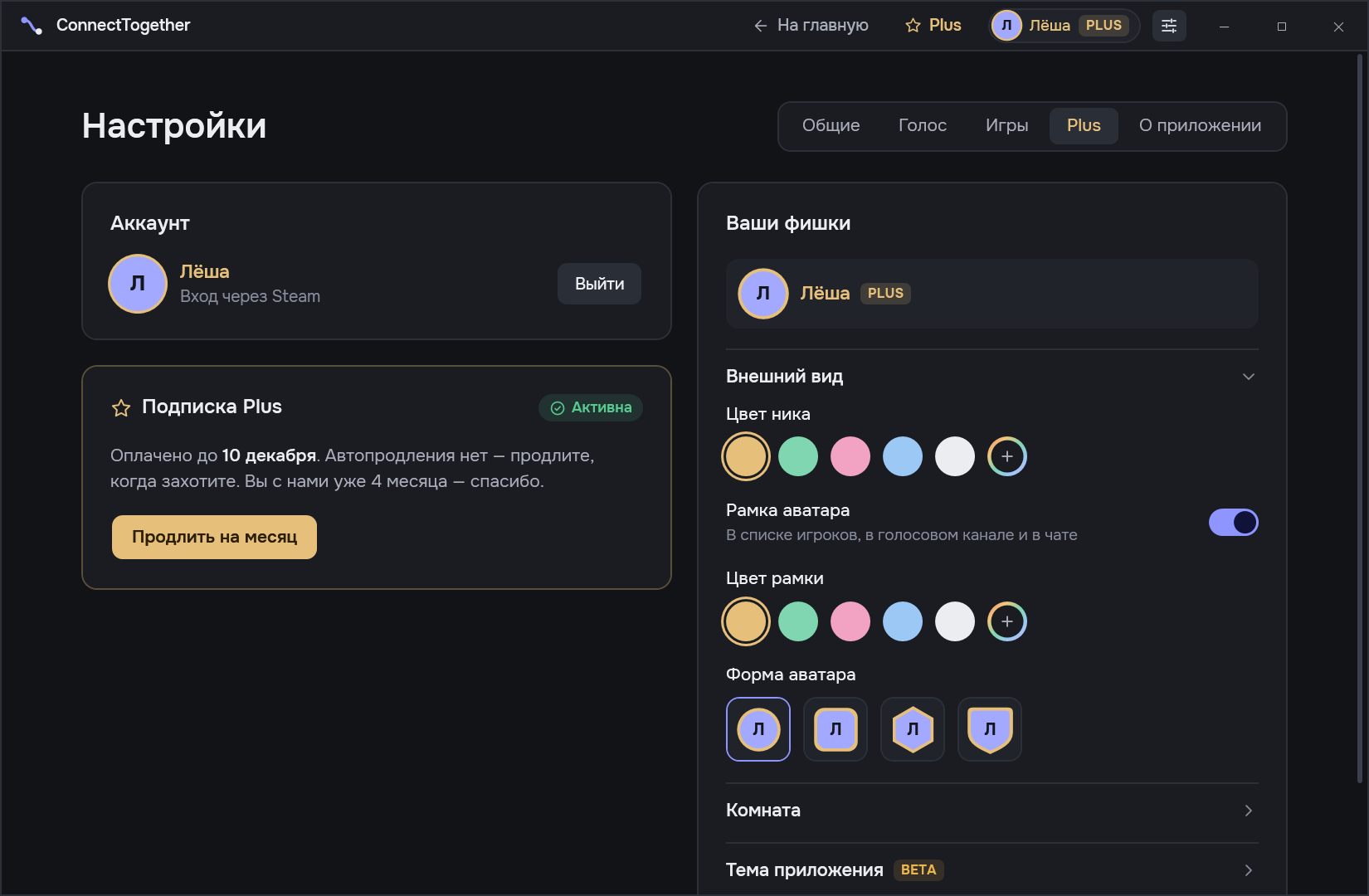
- Profile customisation such as nickname colour, frame and entry sound, where available in your version.
Check the in-app Plus card for current limits and pricing. Room capacity does not override game server limits or guarantee that the host's computer can support that many players.
Where to configure them
Open “Settings” → “Plus” to check account status and appearance options. Use the interface so the application can validate and apply your settings.
Voice quality is in voice settings; stream quality is in the source picker. Plus-only settings are marked.
What Plus does not replace
Plus does not start the host's game server, move saves or make incompatible game versions work together. If a friend joins the room but cannot enter the world, check the server and ports first.
For network errors, follow the application message and connection troubleshooting. A relay changes the connection route, not world settings or game-account requirements.
Verify a feature
After activation, check that you are signed into the paid Steam account and that Plus status refreshed. Check each feature in its own settings section.
Ask a friend to view cosmetic changes in your room profile. For streams, check the selected quality and the viewer's result. Tell support exactly which feature is missing.
See payment and renewal for duration and renewal.
