

If your game is missing, check the addon catalogue first. Manual setup is suitable when you already know how to start the game's server and which ports it uses.
Choose an addon
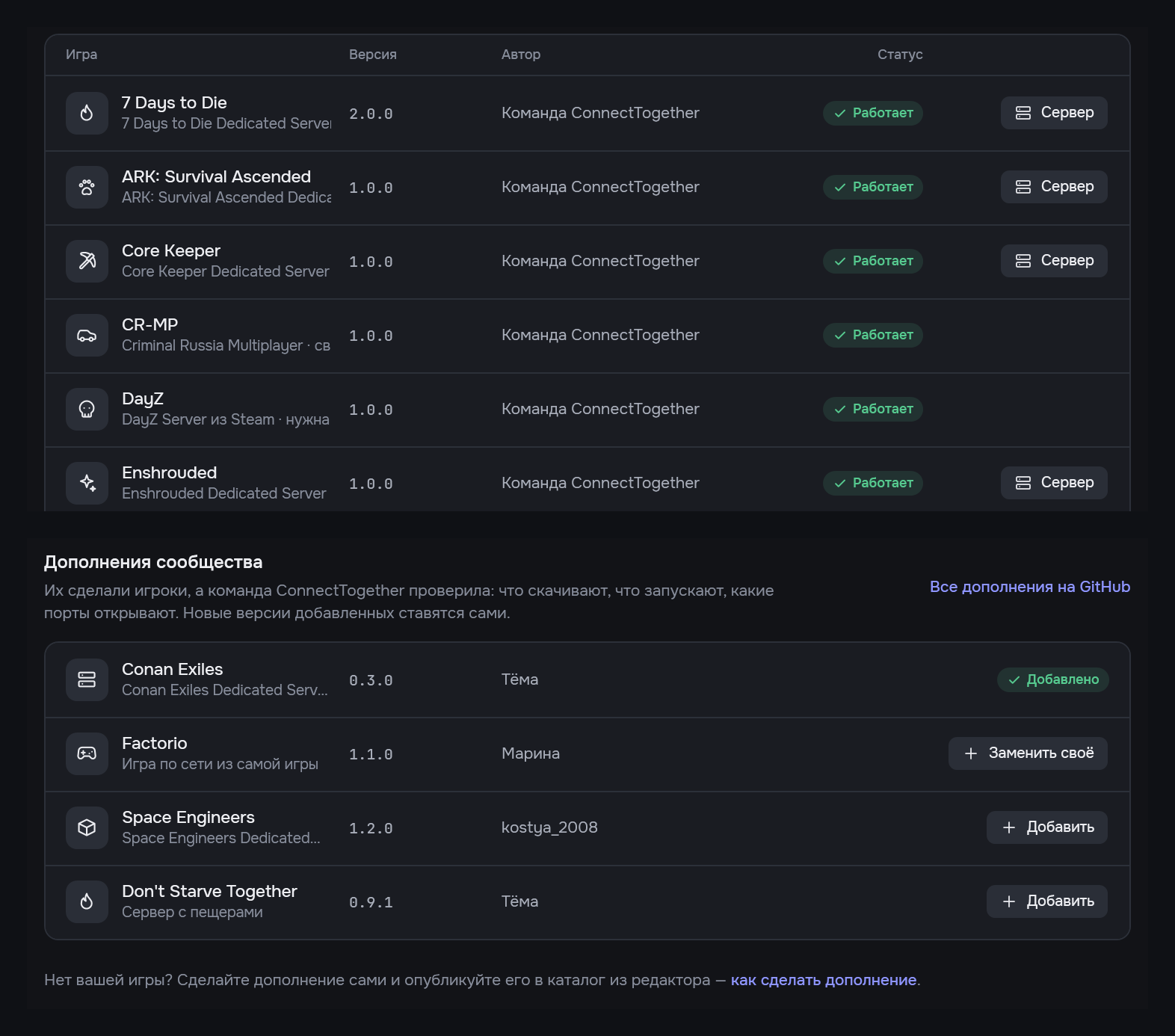
The application includes addons for Minecraft Java and Bedrock, Rust, Terraria, Valheim, 7 Days to Die, Project Zomboid, Palworld, V Rising, Enshrouded, Satisfactory and Core Keeper.
For other games, open “Settings” → “Games” and browse community addons. An addon may install the server automatically or only explain how to start it yourself. A game card does not necessarily include automated installation.
Prepare a server manually
- Check whether the game supports a custom server, shared world or connection by address.
- Start the server or open the world for multiplayer.
- Wait until ready. Staying in the main menu may not be enough.
- Find the game ports and their TCP or UDP protocols in the settings or official documentation.
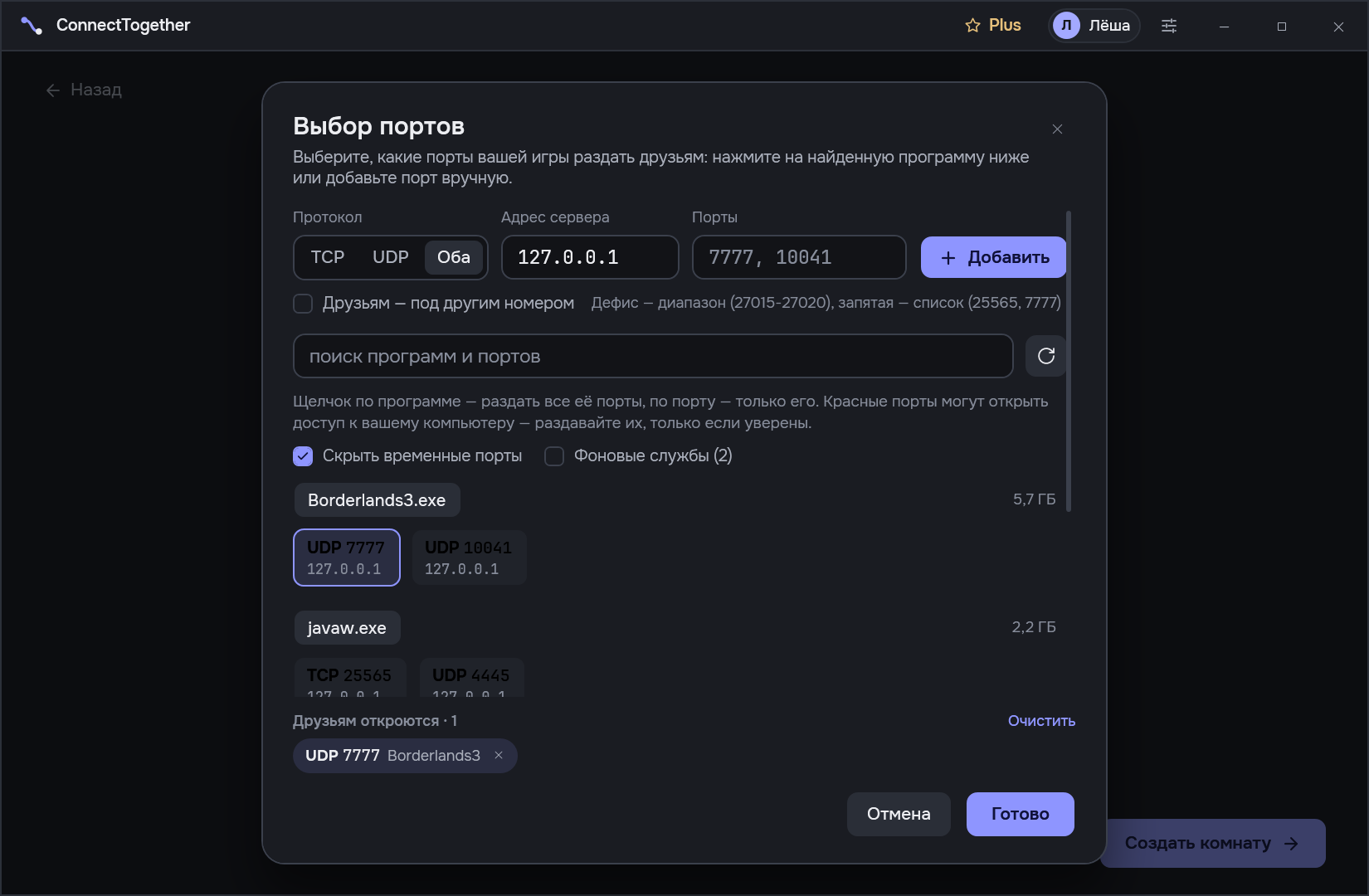
- Choose “Other game” in ConnectTogether and configure the required ports.
If your application version offers process selection, choose the game server process, not the launcher, installer or separate game client. Check the actual ports afterwards: automatic detection does not replace knowing which server you are sharing.
Which ports to use
Some games need one port, others several. The same number in TCP and UDP represents different network endpoints. Choose the protocol specified by the game.
Do not add remote administration, RCON or control-panel ports just because they appear next to game ports in the configuration. Players need the game ports.
How friends join
After the room is created, friends join it in ConnectTogether and copy the address from their own instructions. They then use the game's IP connection, direct connection or console command.
If there are separate fields, enter the address and port separately. A room code is not a game server address. See connection addresses and ports.
Testing and limitations
Test with one friend first. If the server works locally but not through the room, compare ports, protocols and the chosen process. If the server does not start at all, fix its own error first.
ConnectTogether cannot add multiplayer to a game without it, and does not replace the game's authentication, version requirements, mods or platform restrictions. After a successful manual setup, you can create an addon to avoid repeating the instructions.
