

Your friend opens a room, you join it in ConnectTogether, and then connect to the game server from the game itself. These are two separate steps.
Get ready
- Install ConnectTogether and sign in through Steam.
- Use the same game edition and a compatible version.
- Ask the host to check that the server is ready and send a current invitation.
Agree on required mods, access permissions and additional settings before connecting.
Join using a code
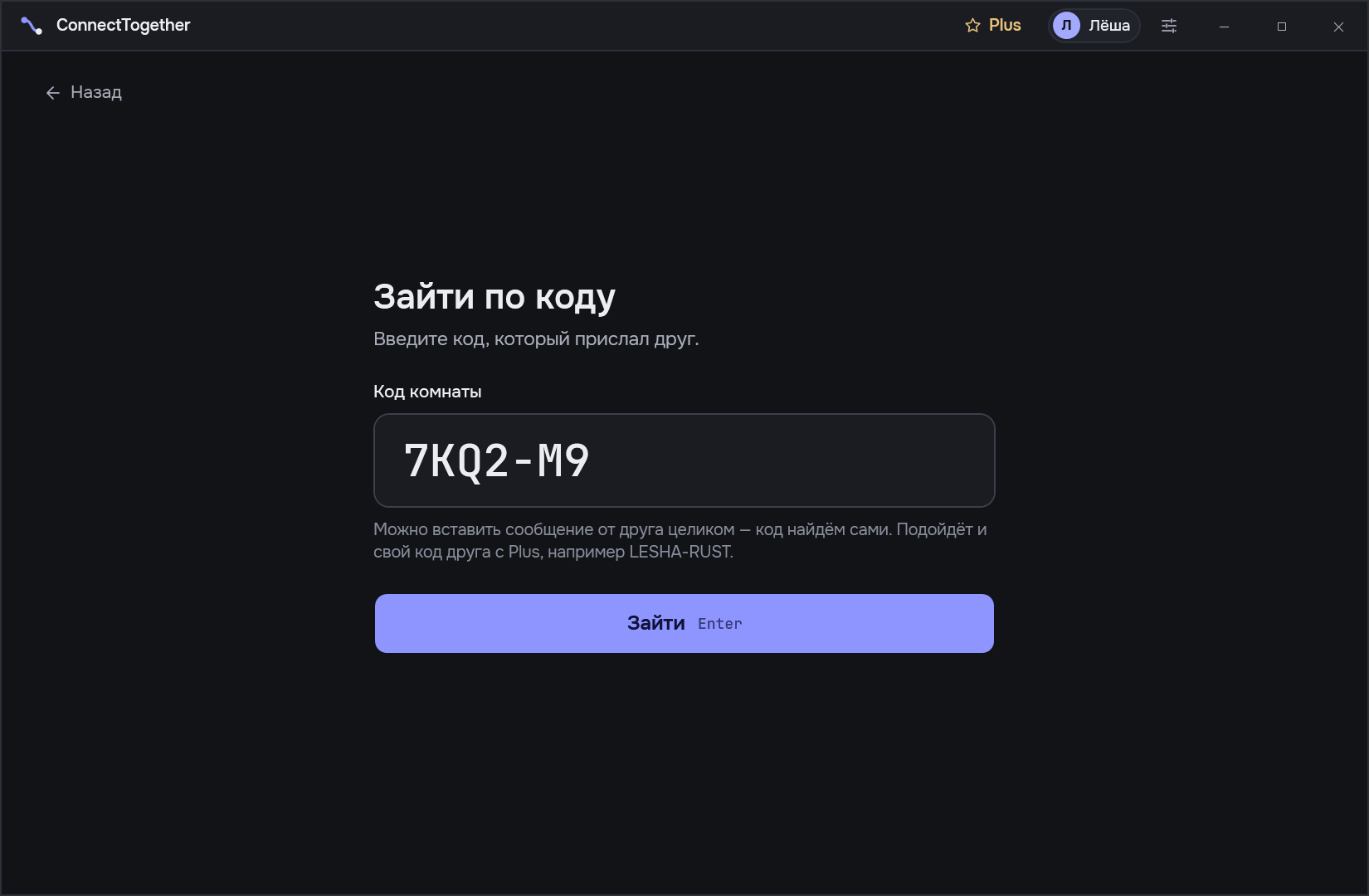
Click “Join by code” on the home screen. Paste the host's code and start connecting. You can paste the entire invitation message: the application can extract its code.
Do not enter a Minecraft address or Rust command here. The room code is for ConnectTogether; the game server address appears after you join.
Join using a link or friend card
An invitation link opens a page that launches ConnectTogether. Allow the browser to open the application if prompted. If it does not launch, open it manually and paste the invitation code.
If your friend's room appears on the home screen, use its card. Visibility depends on the host's “Show my rooms to friends” setting and the room's current status.
Once you are in the room
- Find “How to join the game”.
- Copy the address or command displayed on your own computer.
- Start the game and open the indicated menu or console.
- Paste the connection details and wait for the world to load.
In Minecraft Java this is usually “Multiplayer” → “Direct Connection”. In Rust, open the F1 console and use the supplied command. Other games have their own menus.
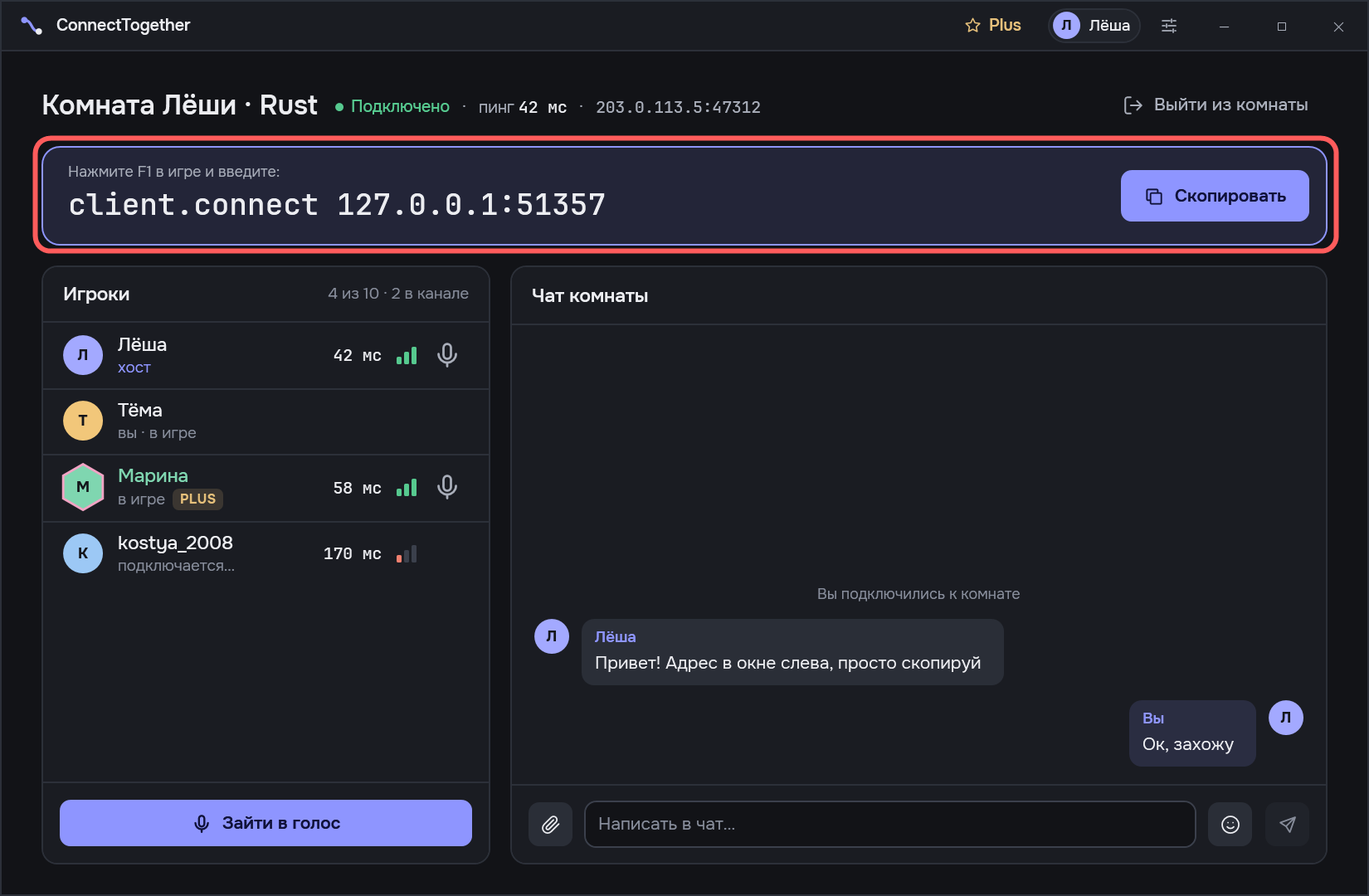
The address 127.0.0.1 is ConnectTogether's local connection endpoint. Do not replace it with your router's address or your friend's public IP.
If joining fails
- Before the room appears: check that the room is open and the code is current.
- The room opens but the game cannot connect: check the game server, copied address and game compatibility.
- The host closed the server window or left the world: wait for it to restart.
- Settings changed after a host transfer: follow the room's current instructions.
Record the error and the steps you took, then follow connection troubleshooting.
