

An addon tells ConnectTogether how to find or start a game's server, which ports to use and where friends should enter the address.
Check built-in games first
Some games already come with the application. You do not need to download their addons again. If a game is missing from room creation, open “Settings” → “Games” and check the community catalogue.
Install from the catalogue
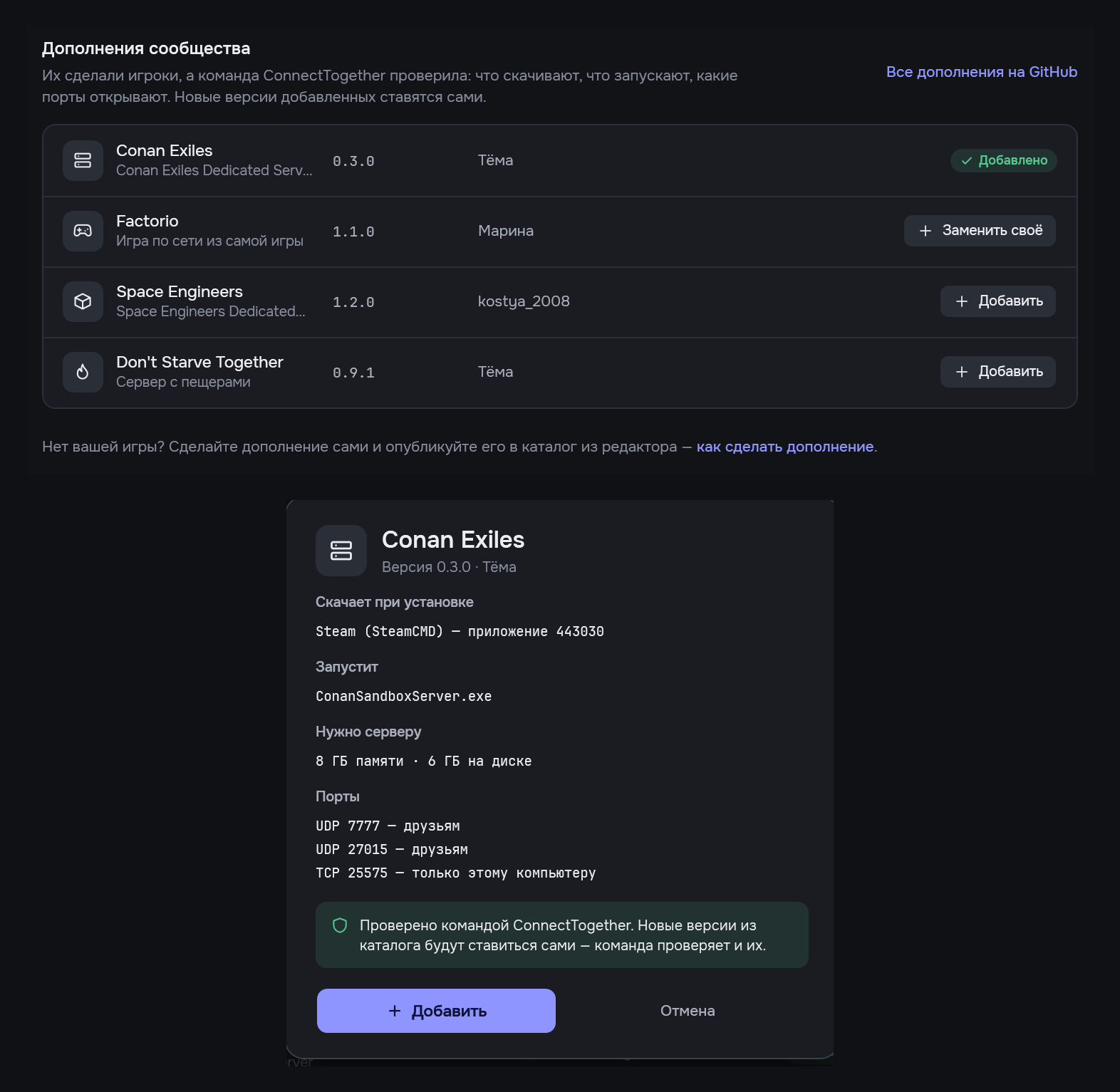
- Find the game under “Community addons”.
- Click “Add”.
- Read the actions: download sources, server program and exposed ports.
- Confirm again if they match the selected game.
- Return to “Create a room”; the game should now appear.
Adding a game card and installing its server files are separate steps. The server may download later when you open its screen and start installation.
Install from a file
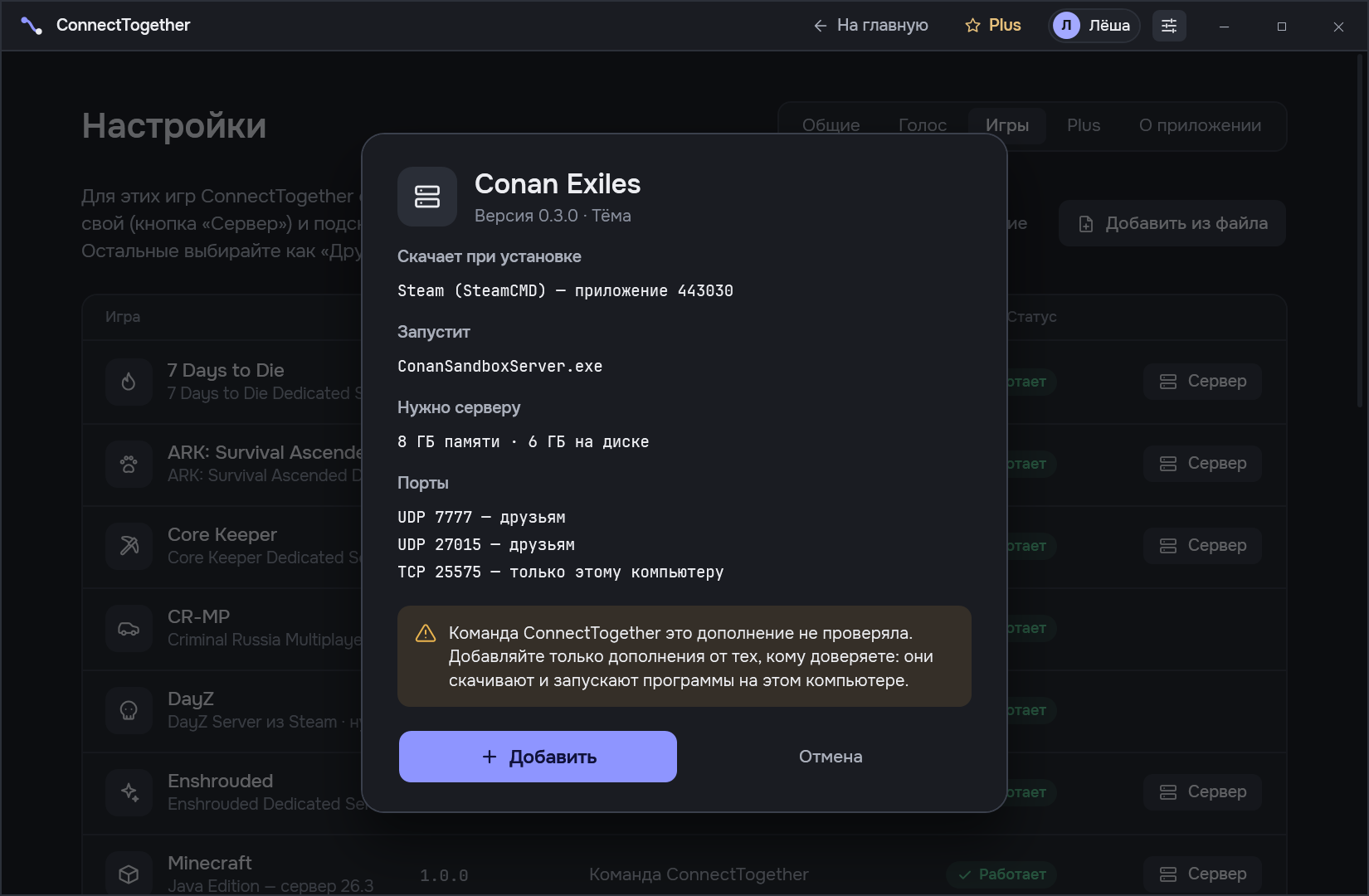
Use “Settings” → “Games” → “Add from file” and select the author's addon.json. An addon can also be shared as <id>.ctaddon and opened by double-clicking.
If received through a messenger, make sure it is a JSON manifest rather than a saved web page. Read validation errors and affected fields; renaming an invalid file does not fix its contents.
After validation, review the addon's actions. The game becomes available only after you confirm adding it.
Two types of addon
A launch-enabled addon can install and start a server. It may include licence acceptance, settings, logs and a console.
An instruction-only addon does not start the server automatically. The host opens the server or LAN world; ConnectTogether displays instructions and checks ports. A missing Install button is normal for this type.
Updates
Catalogue addons receive team-approved updates automatically. File-installed addons do not: get a new version from the author and add it manually.
After validation, a file with the same ID replaces the previous custom addon. Consider the running server and back up important game data before updating.
First test
Complete the entire flow: add the addon, install the server if needed, start it, create a room and have a friend actually join the game. Valid JSON confirms the format, not the readiness of the game server.
If your game is missing, try manual setup or create an addon.
