

Several different values are involved in connecting. To avoid mixing them up, check which application you are currently using.
Codes, addresses and ports
- A room code goes into ConnectTogether to find the host.
- A game server address goes into Minecraft, Rust or another game after joining the room.
- A port identifies a network service. It may follow a colon in the address or have its own field.
- TCP or UDP is selected when configuring forwarded game ports, where required.
Do not enter an invitation code into the game or a client.connect command into ConnectTogether's code field.
Why the address is 127.0.0.1
This is your own computer's address. ConnectTogether creates a local endpoint and transfers game data between participants. The game can therefore connect to 127.0.0.1 even if the host is in another city.
Do not replace it with your friend's public IP. Use your own room instructions: local ports may differ between participants.
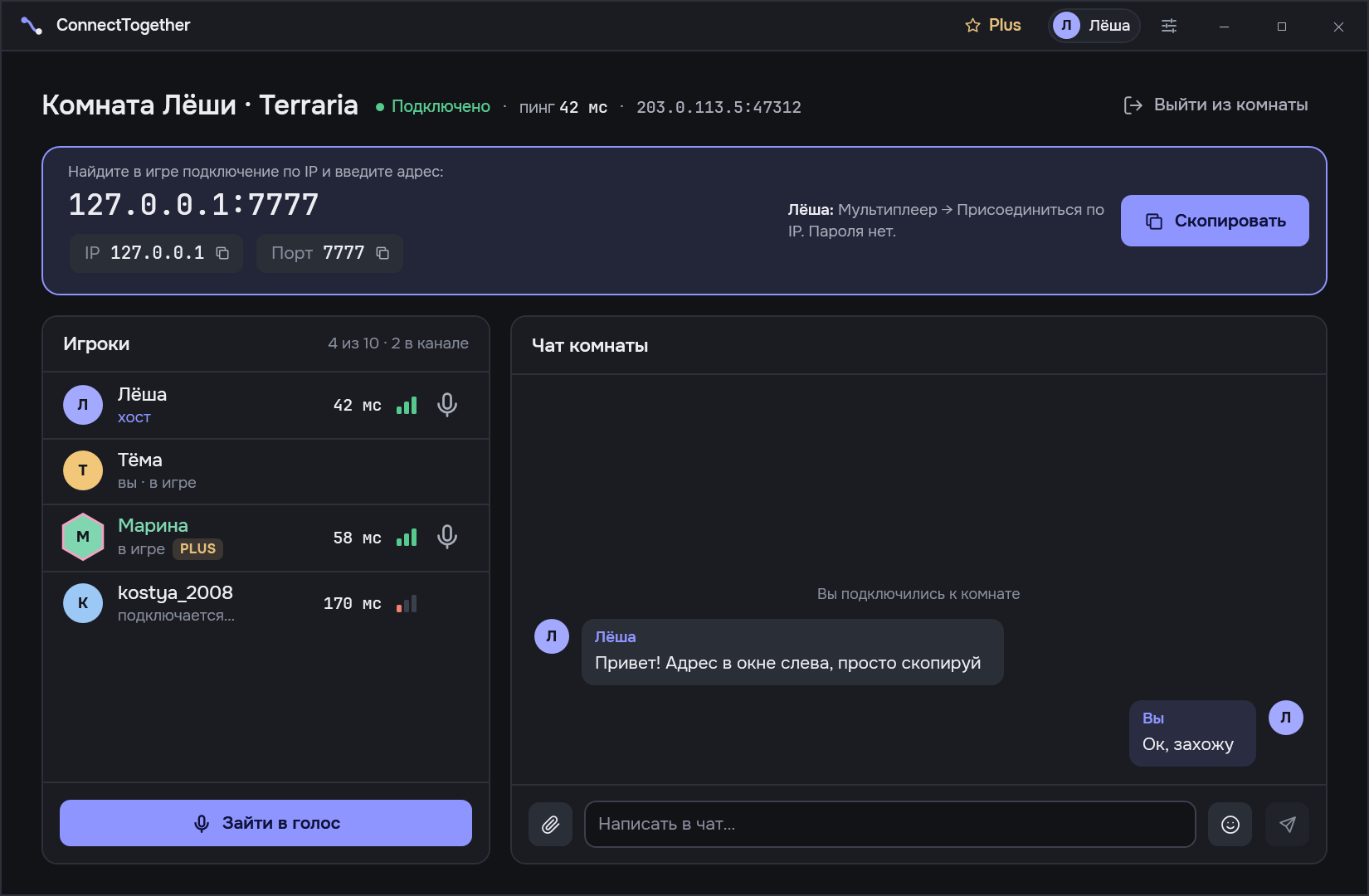
If the game has separate address and port fields
Copy the IP without the colon into the address field and the number into the port field. Use separate copy buttons if ConnectTogether provides them.
If the game accepts one line, copy the complete address in the supplied format. Rust uses a full command; other games may need more than an IP and port. Avoid changing that format unnecessarily.
Host port settings
Find the port actually used by the running server and compare it with the room settings. If the server chooses a different port after restarting, the previous setting may stop working.
This matters especially for Minecraft Java worlds shared over LAN: a new session may get a different port. ConnectTogether's own port in general settings is separate; changing it does not fix an incorrect game port.
Port conflicts
Read the message and identify the process using the port. Change one setting at a time and repeat the check.
If the game server does not respond, checking its startup and configuration is more useful than sending friends different IP addresses. Follow connection troubleshooting.
