

First identify what is missing: your microphone, one participant, everyone or stream audio. Check each case separately.
Your friend cannot hear you
- Join the voice channel and make sure the room microphone is not muted.
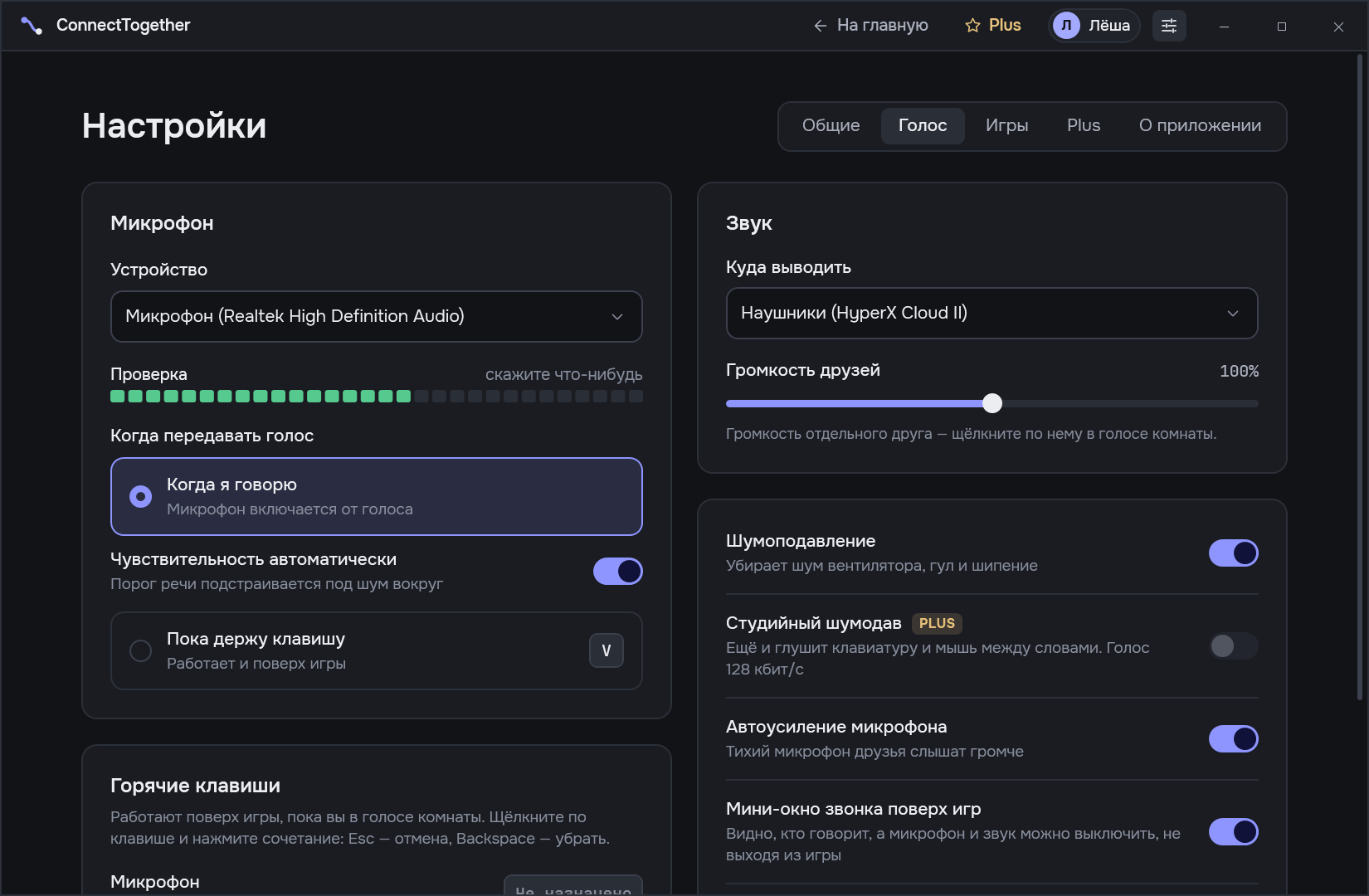
- Select the correct input in “Settings” → “Voice”.
- Run the microphone test and check for a signal.
- In push-to-talk mode, hold the assigned key while speaking.
- Check the physical mute switch and Windows microphone access for desktop applications.
With no test signal, troubleshoot the device first. If a signal exists but transmission does not start, check voice mode and sensitivity.
You cannot hear anyone
Check ConnectTogether's mute state and output device, then its volume in the Windows mixer. An HDMI monitor or Bluetooth headset may have changed the output.
Ask your friend to join the voice channel too. Two people in the same room but outside voice have not established a voice conversation.
One participant is inaudible
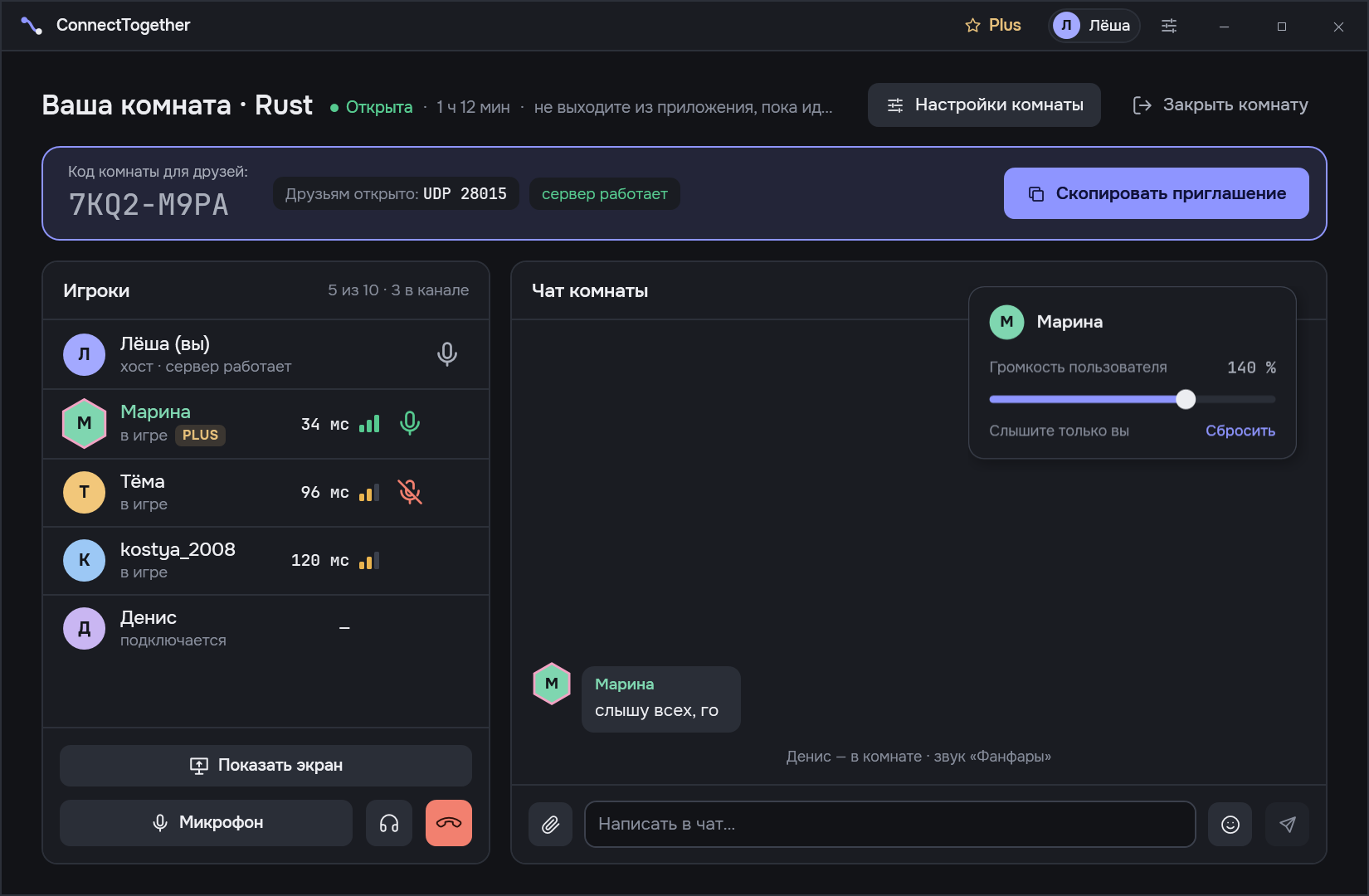
Check their individual volume in the voice panel and ask them to test their microphone.
If others hear them, check your volume and output first. If nobody hears them, start with their microphone and transmission mode.
Dropouts, noise or echo
For dropouts, compare with and without noise suppression, check sensitivity and whether the push-to-talk key is held. Change one setting at a time.
For echo, check whether speaker output returns through the microphone. Headphones help separate received audio from your voice. For constant noise, check the selected source: a virtual device may capture the wrong audio.
If dropouts occur only during screen sharing or heavy game load, compare with sharing stopped and at lower quality.
Screen-share audio is missing
Stream audio is configured separately from the microphone. Check that it is enabled and supported for the chosen window or display. See screen sharing.
Contacting support
Explain who cannot hear whom, device models, voice mode, microphone-test result and whether one particular game triggers it. Include diagnostics if possible. Do not send recordings of other people's conversations without their consent.
